

Website design
Design a website visually, with the code always in your hands.
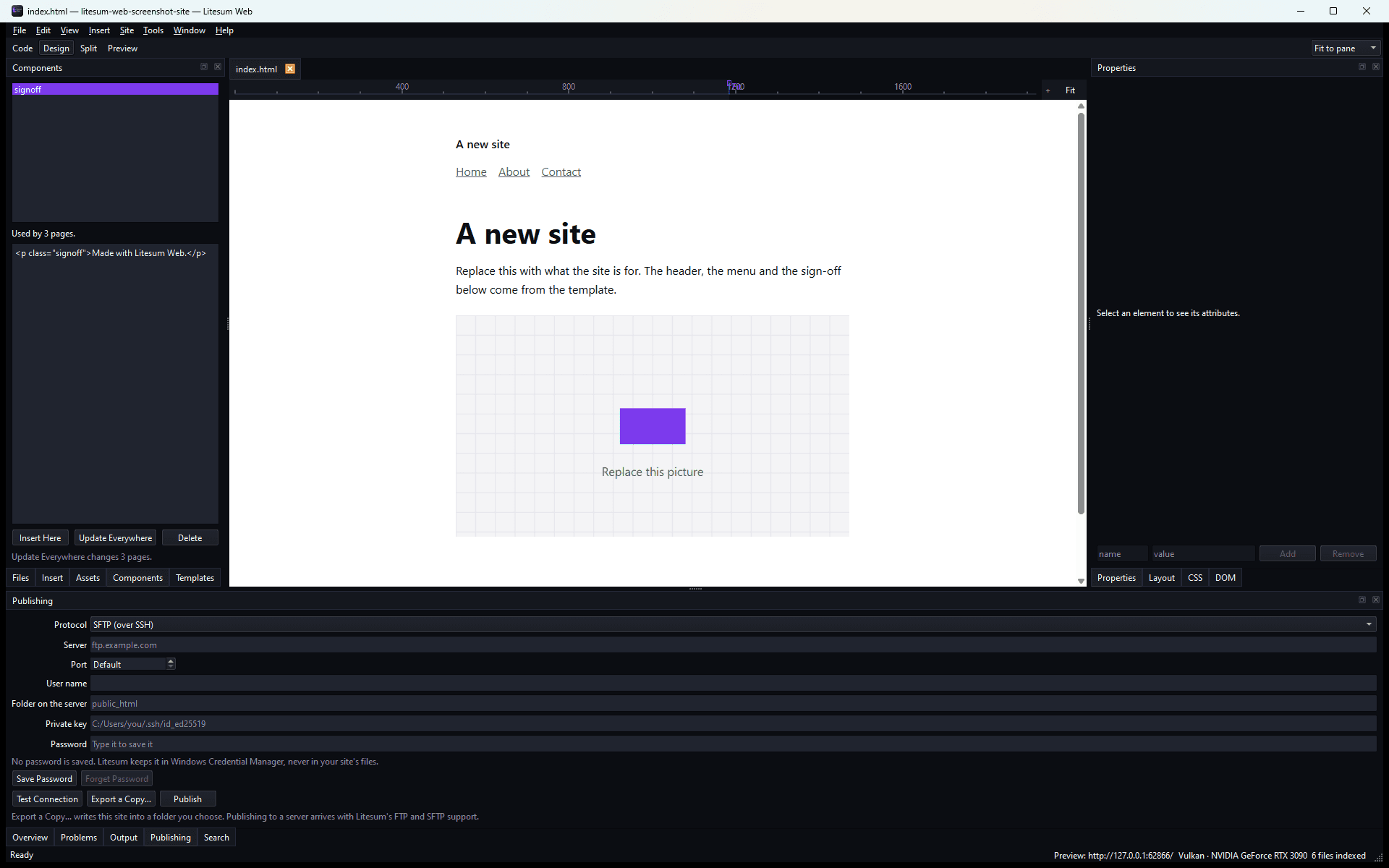
Litesum Web is a visual website designer in which Chromium renders the page and Litesum draws everything around it. Edit the HTML or edit the page: both change the same file, and Litesum never rewrites your file to do it. The result is an ordinary static site you own.
What it does
What you can do with Web.
The real page, live
Chromium renders your site exactly as a browser will, from a preview server on your own machine, and it updates a beat after you type, including work you have not saved yet.
Code and design are the same thing
Edit the HTML or edit the page; both change the same file. Litesum never rewrites your file to do it. It changes the part you changed and leaves every tab, quote and line ending exactly as you wrote them.
The panels you expect
A DOM tree, an Insert palette, element properties, and editing text in place on the page.
CSS where it actually lives
The CSS panel edits the stylesheet a rule is really in, with a box-model editor, Flexbox and Grid designers you drag, and a breakpoint bar that sets the width and the editing context together.
It reads your site and tells you what is wrong, in sentences
Broken links, missing alt text, pages with no description, a picture nothing uses: each one says where it is and what to do, and some offer to fix it.
Templates and components
A template drives every page that uses it; a component updates everywhere at once. Both are plain HTML comments in your own files, so delete Litesum's folder and every page still works.
Files
What it opens and what it saves.
| Format | Opens | Saves | Notes |
|---|---|---|---|
| HTML, CSS | Yes | Yes | Edited in place as targeted changes; formatting, comments and line endings are preserved. |
| JavaScript, JSON, Markdown, XML, SVG | Yes | Yes | Edited as text with syntax colouring. There is no JavaScript analysis. Any other text file opens uncoloured. |
| Pictures: PNG, JPEG, WebP | Yes | Yes | The Assets panel writes responsive sizes. SVG is listed but not resized. |
| A site folder | Yes | Yes | A site is a folder of files you own; there is no proprietary project format around it. |
| Export a copy | Not applicable | Yes | Site ▸ Export Site… writes your site into a folder you choose, byte for byte, nothing minified or rewritten. |
Requirements
What you need to run it.
- Operating system
- Windows, 64-bit (x64).
- Free space
- About 0.5 GB once installed.
- Graphics
- A graphics card is not required.
- Internet
- Only to publish your site, and to renew the membership through the Litesum Launcher.
When a membership ends
Your work stays. Come back any time.
Your files and programs stay right where they are, ready whenever you’re ready to resubscribe. Or simply uninstall. The decision is always yours.
Membership
Litesum Web is included in Litesum Complete.
Planned at £9.99 per month for every released Litesum application, 6 launching together, on 2 computers, cancellable from your account page. Everything you open, edit or export stays on your own computer. It is never uploaded, never used for training and never held behind a subscription.
Does it phone home?
No. Stock Chromium contacts Google in several ways; each was found and silenced, and an automated test over the whole process tree asserts zero off-machine connections.
Will it reformat my files?
No. Every edit is a targeted change to the exact range it concerns. Your indentation, comments, quotes and line endings stay as they were.
Does it host my site?
No. Litesum Web produces an ordinary static site that you own. There is no Litesum hosting and no cloud storage: export your site to a folder you own and upload it wherever you host it.
The rest of the suite
The other five, on the same membership.
 LitesumEnhanceMake small images bigger, sharper and clearer.Coming soon
 LitesumPhotoEdit, retouch and compose with layers.Coming soon
 LitesumLibraryBrowse, search and organise your files.Coming soon
 LitesumPublisherDesign pages for print and digital.Coming soon
 LitesumMotionEdit video and audio on a timeline.Coming soon